
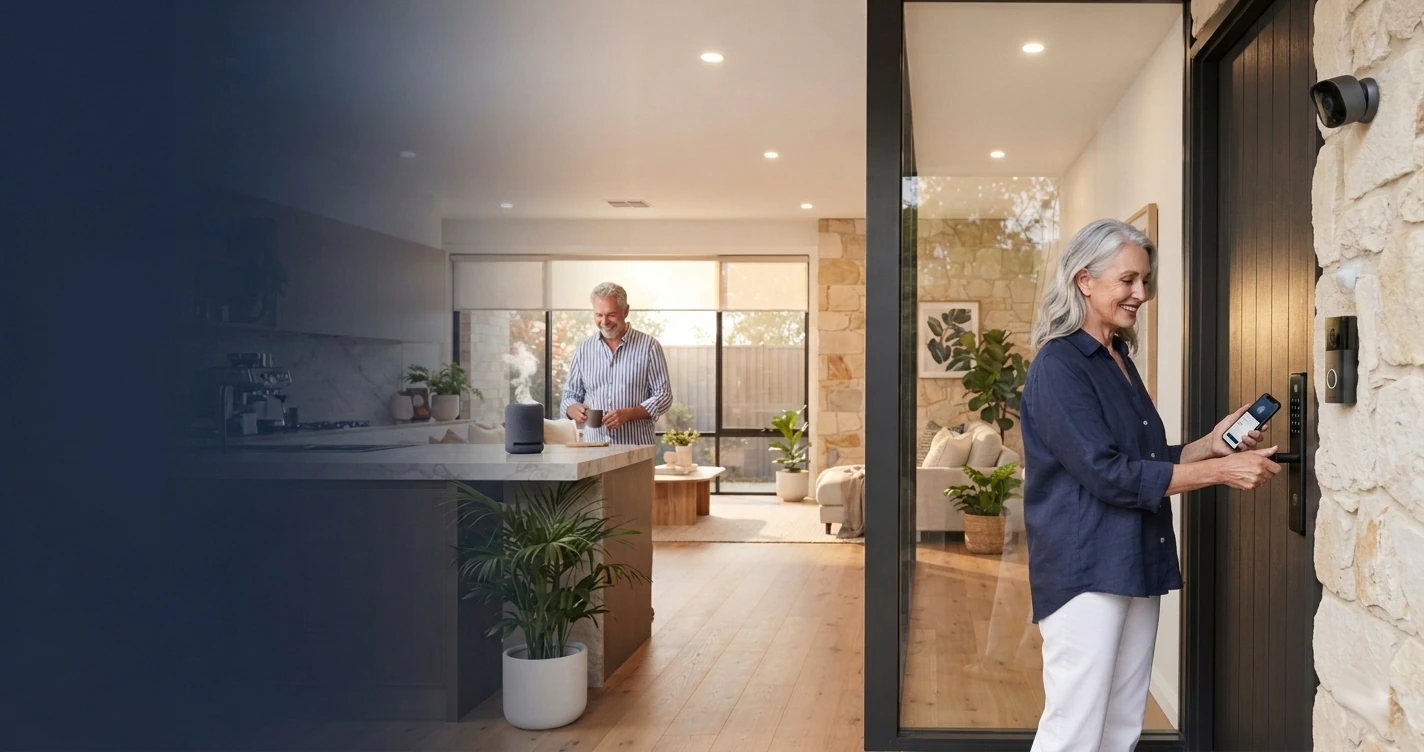
Smart Technology for Ageing Parents at Home
Smart technology for ageing parents at home — combining privacy, safety and security to help older Australians age in place, whether in a house, unit or granny flat. How intelligent cameras, mmWave fall detection radar and secure networking can support independence while giving families real peace of mind.
Smart Technology for Ageing Parents at Home
As Australia's population ages, more families are looking for ways to help parents and grandparents remain living independently for as long as possible — creating a dedicated living space such as a granny flat, adapting part of the family home, or improving an existing residence to better support changing needs. This approach lets older family members maintain their independence while staying close to the people who care about them.
However, independence often comes with a difficult question.
How can families provide reassurance and safety without making someone feel like they are being watched? Traditional monitoring solutions often force families to choose between safety and privacy. Modern technology provides another option.
Safety Without Surveillance
Security cameras are extremely valuable for protecting homes and monitoring shared living spaces — they can help families check that a loved one is moving around safely, returning home, preparing meals and maintaining their normal routine.
However, cameras are not suitable everywhere. The areas where serious falls are most likely to happen — bathrooms, bedrooms and dressing areas — are also the places where everyone deserves complete privacy. A camera-based solution in these spaces would be intrusive and could negatively impact a person's sense of independence.
A better approach combines different technologies: cameras where visual monitoring is appropriate, and privacy-focused sensing technology — sourced and supported by a specialist provider — where it is not.
Home Monitoring: What to Know Before You Install
Because this is your own home and your own family, it's generally understood to sit in a different category to the CCTV or facial recognition rules that apply to businesses. That's reassuring in one sense, but it doesn't mean anything goes — and we're not lawyers, so treat this as a starting point for your own reading, not a legal opinion.
The Privacy Act 1988 is generally understood not to apply here. Published guidance describes it as covering businesses and government agencies — broadly those with turnover over $3 million — rather than individuals monitoring their own home for personal reasons. If you're installing this to look after your own parent, you're likely outside its reach.
Two other things are worth being aware of, regardless of the Privacy Act:
- State surveillance laws can still apply to recording a "private activity" without consent — even within a family. Bathrooms and bedrooms are commonly treated as places where someone has a reasonable expectation of privacy, and unauthorised recording there can potentially raise issues under state surveillance device laws, regardless of family relationship or good intentions. This is a large part of why radar rather than cameras is generally recommended in those spaces — not just for comfort.
- A relatively new privacy tort applies to individuals, not just businesses. Since June 2025, a federal tort for serious invasions of privacy has reportedly applied to individuals as well as organisations, which is worth knowing about even in a personal, family context.
One area we'd genuinely recommend checking with a solicitor rather than assuming either way: where a parent has dementia or reduced capacity, it isn't clearly settled whether an enduring guardian or power of attorney's authority extends to consenting to monitoring devices on the person's behalf. If capacity is a live issue in your family's situation, that's worth a specific conversation with a professional.
This section is general information only, not legal advice, and we are not lawyers. Surveillance and privacy laws vary by state and change over time — please confirm current requirements with a qualified solicitor before relying on this content.
What About Licensed Aged Care Facilities?
Everything above relates to monitoring in your own home. A licensed residential aged care facility generally sits under a different regime, since it's a business caring for people who aren't its own family:
- The Privacy Act is generally understood to apply in full. Facilities are businesses handling health information, one of the most strictly protected categories under the Privacy Act — this isn't personal or domestic use, so the exemption above wouldn't apply.
- Falls prevention is part of the Aged Care Quality Standards. Falls are commonly reported as a tracked quality indicator, which is part of why fall-detection technology has become more common in residential care.
- Consent requirements appear to differ by technology type. Cameras face the highest bar — resident-specific consent is generally expected, family consent alone usually isn't treated as sufficient, and it's genuinely unsettled whether a guardian or power of attorney can authorise one on a resident's behalf. Non-identifying radar or sensor-based fall detection appears to face a lower bar, since it's increasingly treated as part of ordinary care planning rather than surveillance — but informed consent would still be expected, not silent installation.
This section is general information only, not legal advice, and we are not lawyers. Aged care providers should get their own compliance advice from a qualified professional — this article is written for families setting up monitoring in a private home, not for facility operators.
The Right Technology for Each Space
Shared areas and private areas call for genuinely different technology — not the same camera used everywhere.
- Front and rear entrances, driveways
- Living areas and kitchens
- Outdoor spaces
- Confirms safe movement, meals and daily routine
- Bedrooms and bathrooms
- Typically configured to flag normal movement, sitting, and getting into bed
- Typically configured to flag lying down and possible falls
- Maintains a safety net while respecting dignity
The objective is not surveillance. The objective is reassurance.
Hikvision Isn't the Only Option
Hikvision's radar is a solid, cost-effective choice for most residential fall detection needs, and it's commonly used for a standalone granny flat or home setup. But it isn't the only solution, and families with more complex care needs — or who want the radar tied into a formal care or health management system — have other options worth knowing about. Bilby Fusion does not supply or configure these devices directly; we can put you in touch with a specialist provider for the device itself.
Vayyar Care
An Australian-deployed 4D imaging radar platform built specifically for aged care. Rather than sitting as a standalone sensor, it's designed to integrate directly with nurse call and care management platforms — for example Austco's Tacera nurse call system and the eevi Care platform used across Australian aged care operators. Beyond fall detection, it can surface behavioural trends (time in bed, bathroom frequency) that support proactive care planning, not just after-the-fact alerts.
Other Commercial mmWave Sensors
Vendors such as Milesight also produce healthcare-grade 60GHz mmWave fall detection sensors designed for nursing and accessible-care environments, generally aimed at facility-style deployments rather than a single residence.
For most families supporting a parent at home, Hikvision's radar remains a good balance of cost and capability. Where the household is already using a formal home care provider or nurse call system, a platform-integrated option like Vayyar Care may be worth discussing with that provider. Whichever device a family chooses, our role is making sure the network, cabling and power it depends on is designed and secured properly — the device supply, clinical-grade configuration and ongoing monitoring sit with the specialist provider.
When Every Second Counts
Detecting a fall is only part of the solution — the most important step is making sure someone receives the information quickly. A properly designed system provides multiple notification methods, so families can choose the response that fits their circumstances.
ALERT: Fall detected in Granny Flat Bathroom. Immediate attention recommended.
This layered approach improves reliability and reduces the chance that an important alert is missed. A caregiver may receive an immediate phone notification while another family member receives a text — the goal is simple: get the right information to the right person as quickly as possible. Notification setup for the radar device itself is handled by its specialist provider; Bilby Fusion's role is making sure the underlying network delivers those alerts reliably.
Secure Technology Requires Secure Networking
It's worth being clear about what each part of the system actually does. As at 15 August 2026, UniFi does not offer its own fall detection radar — its role in this setup is the network the radar runs on. The Hikvision radar (like the alternatives above) connects over standard WiFi or PoE, the same infrastructure used by the security cameras, so a properly designed UniFi network is what carries its alerts reliably in the first place.
When installing smart technology in a home, cybersecurity is just as important as physical safety. Security cameras, radar sensors and smart devices are connected systems — like any internet-connected technology, they should be installed and configured securely.
A common mistake is connecting all smart devices to the same network used by personal computers, phones and tablets. A better approach is network segmentation — creating separate digital areas within the home.
UniFi's segmentation capability lets us put security equipment — cameras, radar sensors, access control — on its own dedicated network, kept entirely separate from the home network used for online banking, work documents, private photographs and personal devices. From a cyber security perspective, this means a vulnerability in a camera or sensor can't be used as a stepping stone into the rest of the household's data. At Bilby Fusion, we apply enterprise networking principles to residential environments, creating solutions that are secure without becoming complicated for homeowners.
Keeping the System Working During Power Outages
A safety system is only valuable if it continues operating when it is needed most. Storms, electrical faults and local outages can interrupt power to cameras, networking equipment and sensors.
To improve resilience, Bilby Fusion can incorporate Uninterruptible Power Supply (UPS) solutions — providing temporary battery backup that automatically maintains power to critical equipment during short interruptions, including internet equipment, network gateways, PoE switches, security cameras and radar sensors. This allows monitoring and notifications to continue during unexpected events. For homes requiring longer backup periods, larger battery solutions or integration with existing home energy systems may also be considered.
Considering Existing Security Systems
Many homes already have security cameras or alarm systems installed. However, modern fall detection radar is not simply another alarm sensor that can be connected to older equipment — it is an intelligent network device that relies on modern communications infrastructure.
Before upgrading an existing system, it's worth assessing existing cabling, network capability, internet connectivity and security equipment compatibility. In some situations, upgrading older equipment to a modern IP-based system is simpler, more reliable and more cost-effective than attempting to integrate incompatible legacy technology. A professional assessment helps families make the right decision before investing.
Considering Long-Term Ownership Costs
When comparing smart technology options for ageing parents at home, the purchase price is only part of the decision. Some solutions rely heavily on cloud platforms that require ongoing monthly or annual subscriptions — while these can provide useful features, recurring costs can become significant over time.
A well-designed solution considers the total cost of ownership: hardware, installation, ongoing subscriptions, maintenance and future upgrades. Bilby Fusion focuses on practical solutions that use local processing and homeowner-controlled systems wherever appropriate — reliable technology without unnecessary long-term costs.
More Than Installing Devices
Reliable smart technology for ageing parents at home requires more than purchasing cameras and sensors. A camera that cannot communicate during an outage, or a sensor that loses connectivity when it is needed most, does not provide true peace of mind. The difference between a collection of devices and a dependable solution is the design behind it.
- Electrical infrastructure — power and backup designed for the equipment running on it
- Structured cabling — reliable physical connectivity throughout the home
- Networking — segmented, secure and built to stay online
- Cybersecurity — protecting personal information alongside physical safety
- Security systems — cameras matched to the right spaces, with fall-detection radar sourced through a specialist partner where required
- Smart technology — integrated, not just installed
Bilby Fusion brings together experience across electrical, communications and information technology disciplines to design integrated solutions that are secure, practical and reliable — engaging specialist partners for device-specific technology such as fall-detection radar where a family needs it.
Smart Technology for Ageing Parents: The Bottom Line
Technology should never replace family care. It should support it. By combining intelligent cameras in shared areas, privacy-focused radar sensing in sensitive spaces, secure networking and resilient backup power, families can create safer homes for ageing parents — whether in a house, unit or granny flat — without compromising independence. Older Australians can continue living confidently in familiar surroundings, and families gain reassurance that help can be requested quickly if it is ever needed.
Planning a Granny Flat or Supporting an Ageing Parent?
We'll assess your home, your family's needs and your budget, then design the network, cabling and power your smart technology depends on — and if a fall-detection radar device is required, we can connect you with a specialist provider for that device and its configuration.
Book a ConsultationLegal Disclaimer & Information Notice
The technologies, configurations and recommendations described in this article are provided for general informational purposes only and do not constitute medical advice. The systems described are not certified medical alarms, medical devices, or monitored personal emergency response services.
Bilby Fusion does not supply, install, configure or support fall-detection radar devices such as the Hikvision Fall Detection Radar, Vayyar Care or similar mmWave sensors. Where a family requires this technology, Bilby Fusion can refer them to a specialist third-party provider responsible for the device, its configuration and its ongoing monitoring. Bilby Fusion's role is limited to the surrounding infrastructure — networking, structured cabling, cybersecurity and power resilience — that the device relies on. Any such device is an assisting technology only, does not provide permanent monitoring, medical supervision, or guaranteed detection in every circumstance, and does not replace professional care, a documented care plan, or an appropriate personal emergency response service where one is clinically recommended. Notification delivery depends on factors including network connectivity, power availability and device configuration.
References to Hikvision, Vayyar Care, Austco Tacera and eevi Care are provided for general information only. Bilby Fusion is not affiliated with, endorsed by, or a partner of these companies. Details were sourced from the respective providers' publicly available websites as at 15 August 2026 and may have changed since.
Legal and regulatory information in this article — including references to the Privacy Act 1988, state surveillance laws, the Aged Care Quality Standards, and consent requirements — is general information only, not legal advice, and has not been prepared or reviewed by a lawyer. Laws in this area vary by state and change over time. Please seek independent legal advice for your specific circumstances, particularly around consent, capacity, or guardianship.
Production Note: This article was conceptualised, directed, and curated by Ron Le Mesurier. The core content was generated using a multi-model AI workflow, with final fact-checking, alignment, and editorial synthesis performed by the human author.
Bilby Fusion is a qualified provider of business and residential technology, network and security solutions. Families seeking advice specific to their own home technology requirements are welcome to contact Bilby Fusion directly for a tailored assessment.